Use cases/Meta ads reporting

Meta ads reporting that shows what you paid for.

Spend, results and cost per result for every Facebook and Instagram campaign, with this month’s spend tracked against budget. Updated before you start work.

Part of Metrcs: ads, website, search, email and Instagram on one login. Flow Digital clients can log in now.
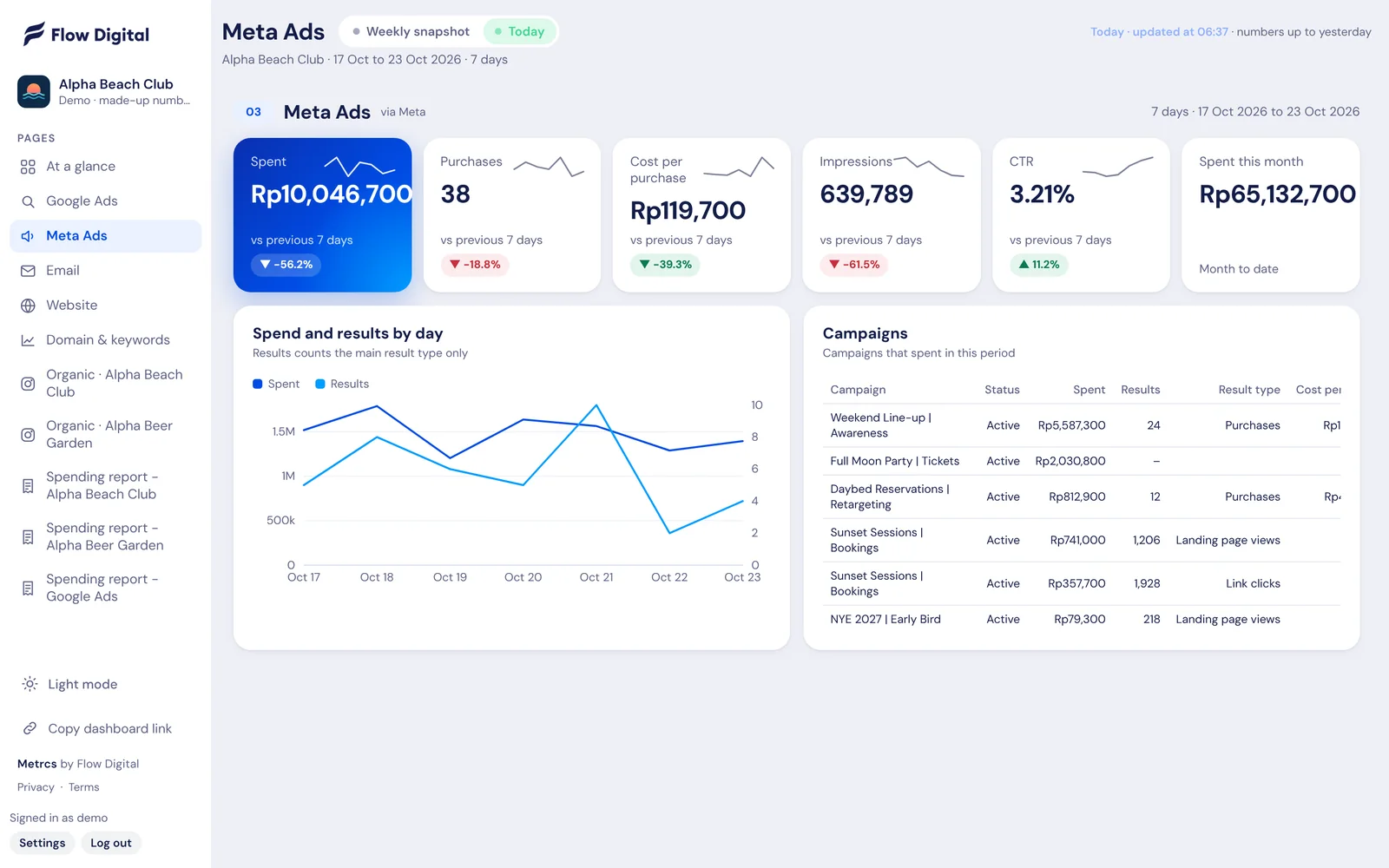
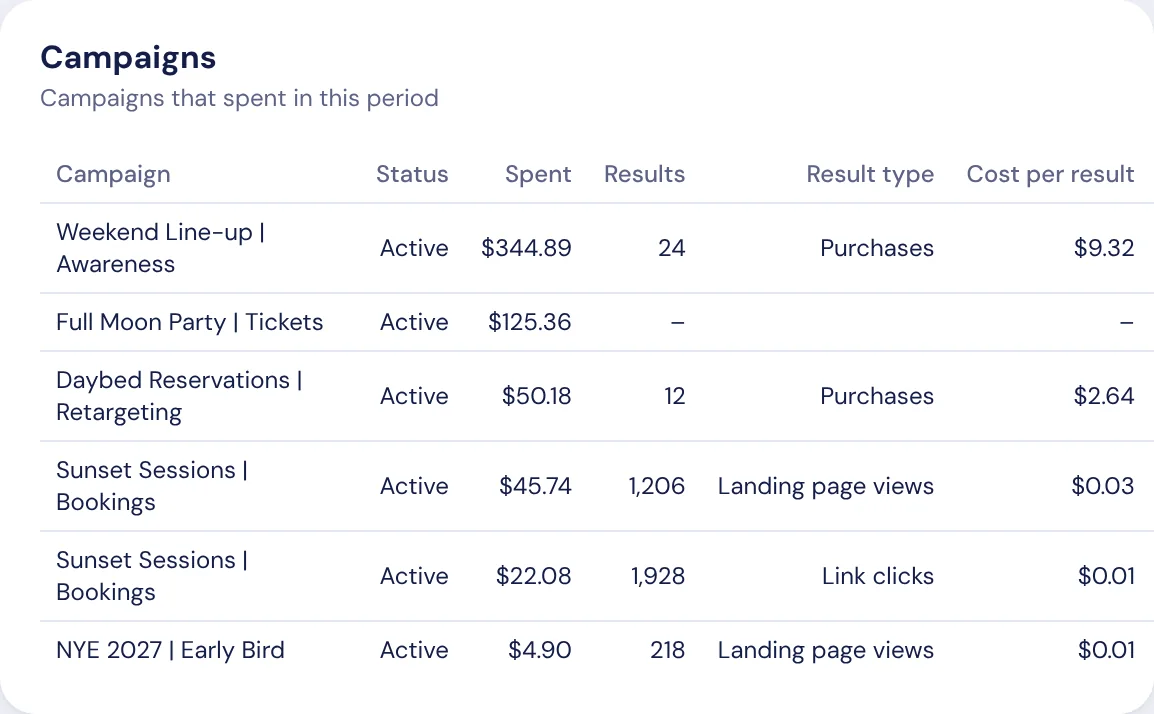
Meta Ads page in Metrcs showing spend, results, cost per result and campaigns
Sound familiar?

Where it usually goes wrong.

Ads Manager keeps moving thingsColumns change, metrics get renamed, and the number you checked last week is somewhere else now.
A “result” can mean anythingPurchases, leads, link clicks. Without the goal next to the number, cost per result is easy to misread.
Two venues, two ad accountsRunning a second brand means checking twice and adding it up yourself.
What you see in Metrcs

One page. Updated every morning.

Every campaign with its own goalResults and cost per result labelled by what each campaign is set up to do, so you compare like with like.
Spend and results by daySpot the day a campaign stopped spending or a cost jumped, without digging.
More than one ad accountEach account on its own, with totals where it makes sense to add them up.
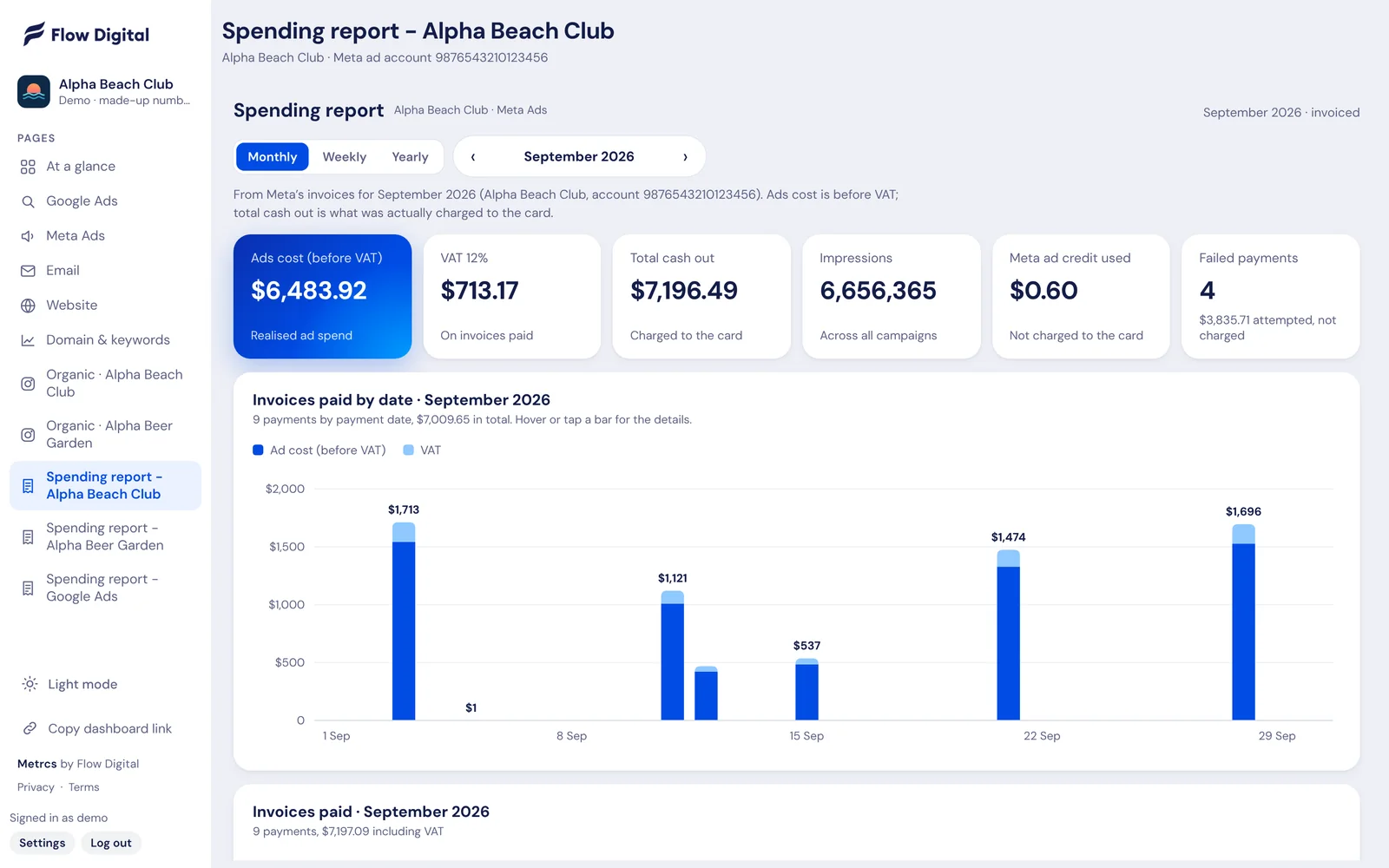
What Meta charged your cardA spending report with every invoice and the VAT on it, by month and week.
Every campaign with spend, results, cost per result, reach and frequency.
Every campaign with spend, results, cost per result, reach and frequency. Demo account with made-up numbers.
All in one place

And that’s only one page of Metrcs.

The rest of your marketing sits right next to it, on the same login, refreshed every morning. No more jumping between six tools before a meeting.

Metrcs Agency view

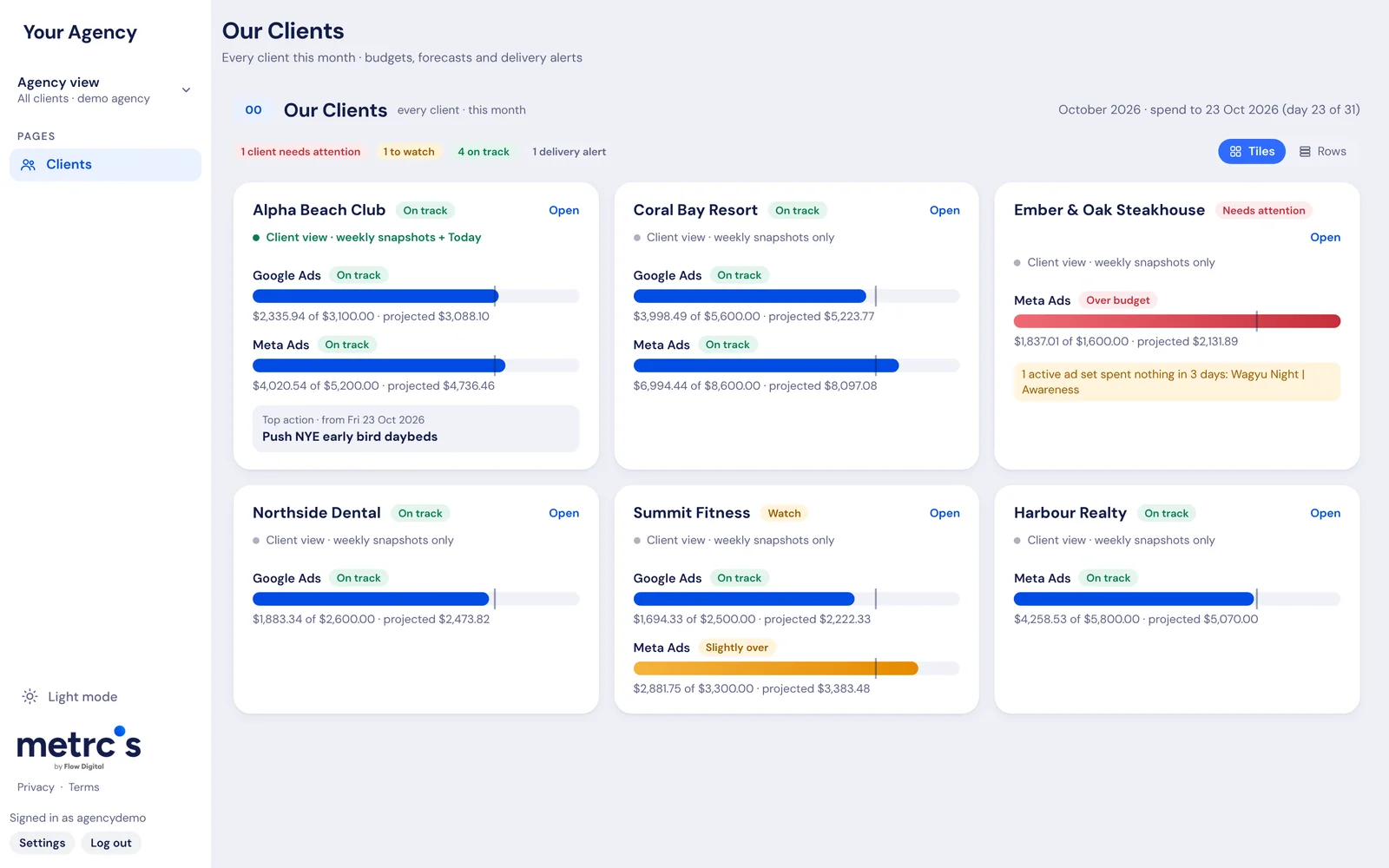
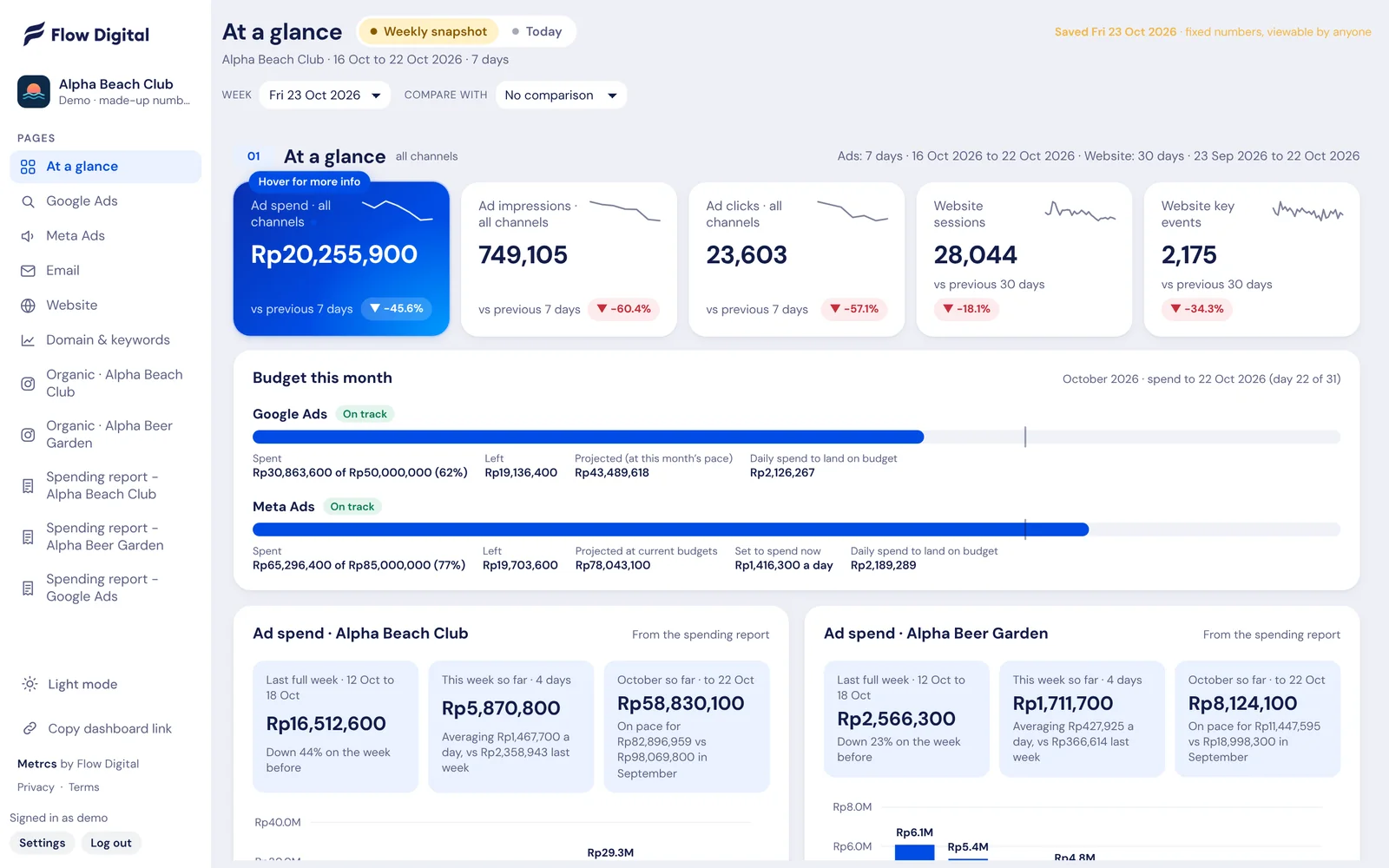
See every client’s spend against budget, where each month will land and which campaigns stopped delivering, then open any client in one click.

See how it works →
Metrcs Google Ads reporting

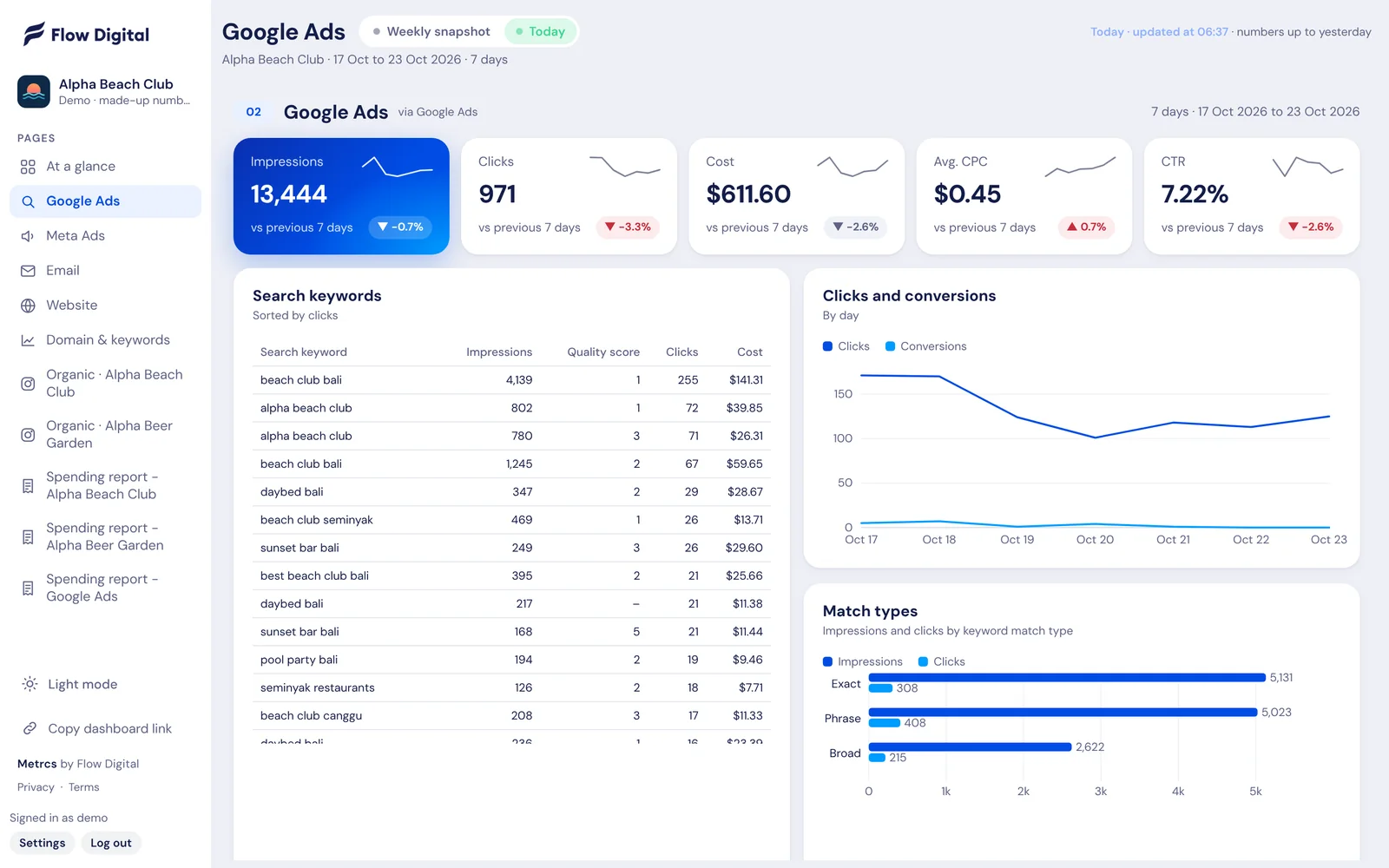
Spend, clicks, cost per click and the keywords doing the work, on one page that updates every morning. No logging in to Google Ads and no exporting to spreadsheets.

See how it works →
Metrcs Website analytics

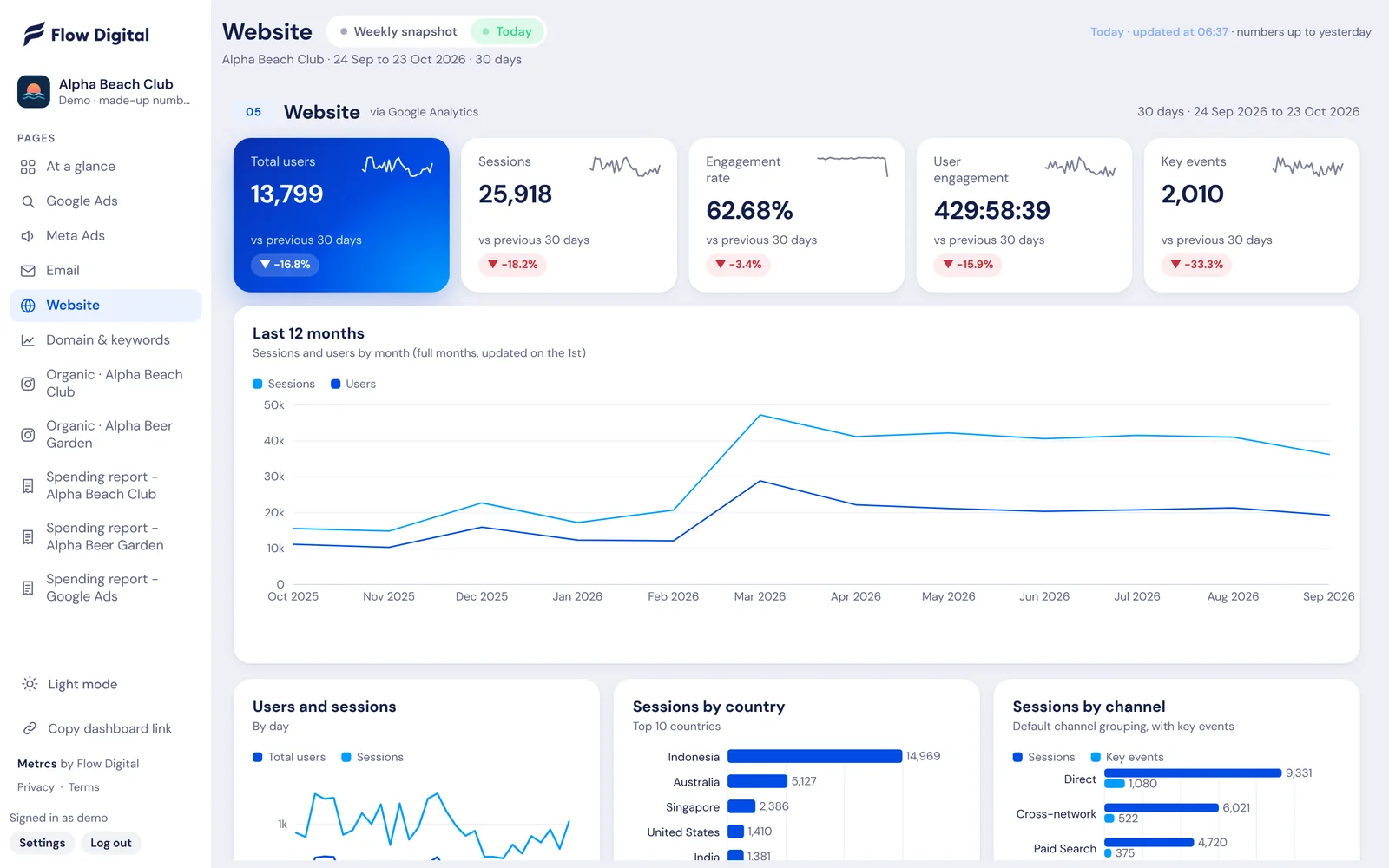
Users, sessions, enquiries and where they came from, laid out on one page. Plus twelve months of traffic, so you see the trend and not only this week.

See how it works →
Metrcs SEO reporting

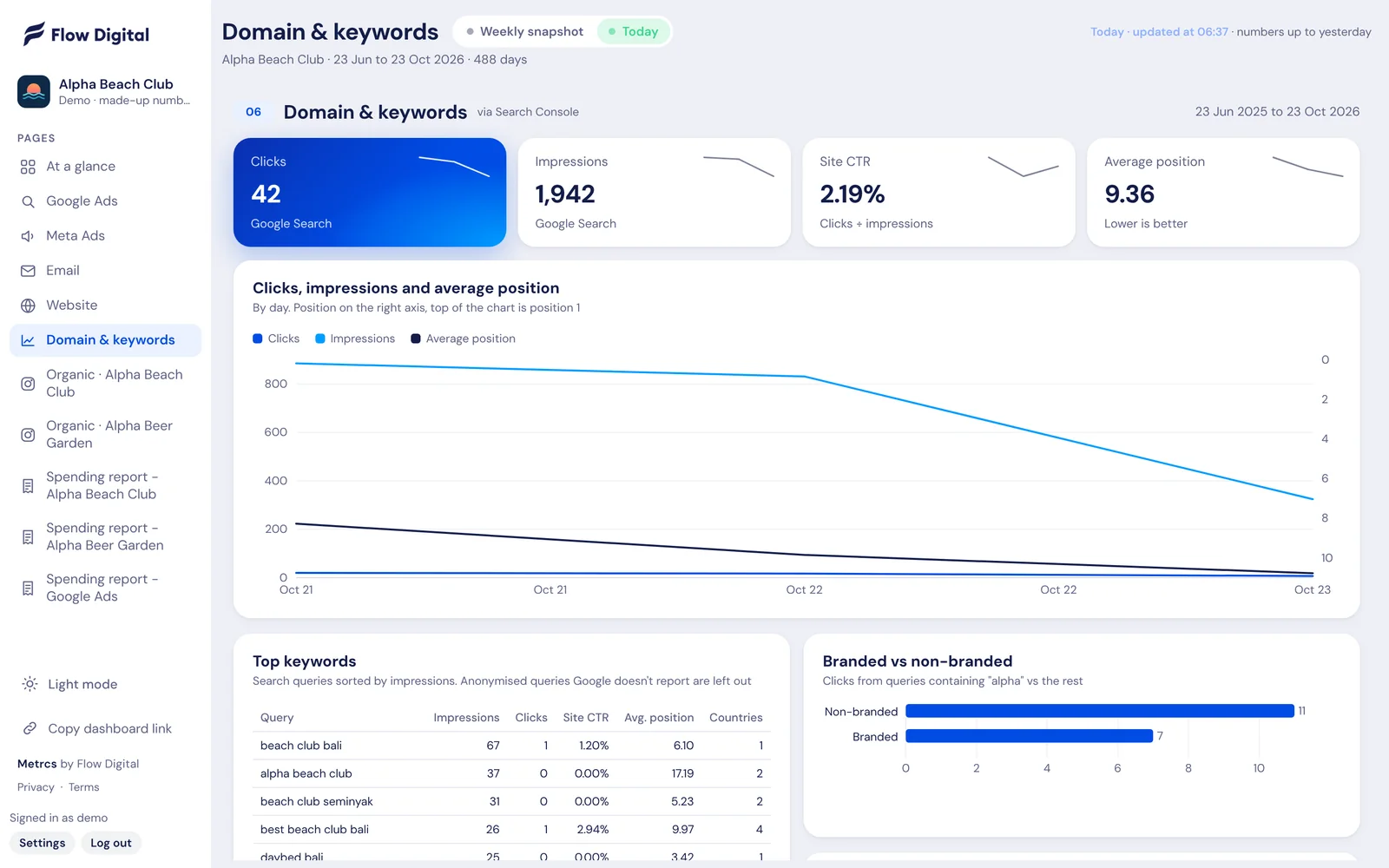
Clicks, impressions and average position from Google Search Console, with the exact search terms that bring people to your site.

See how it works →
Metrcs Email reporting

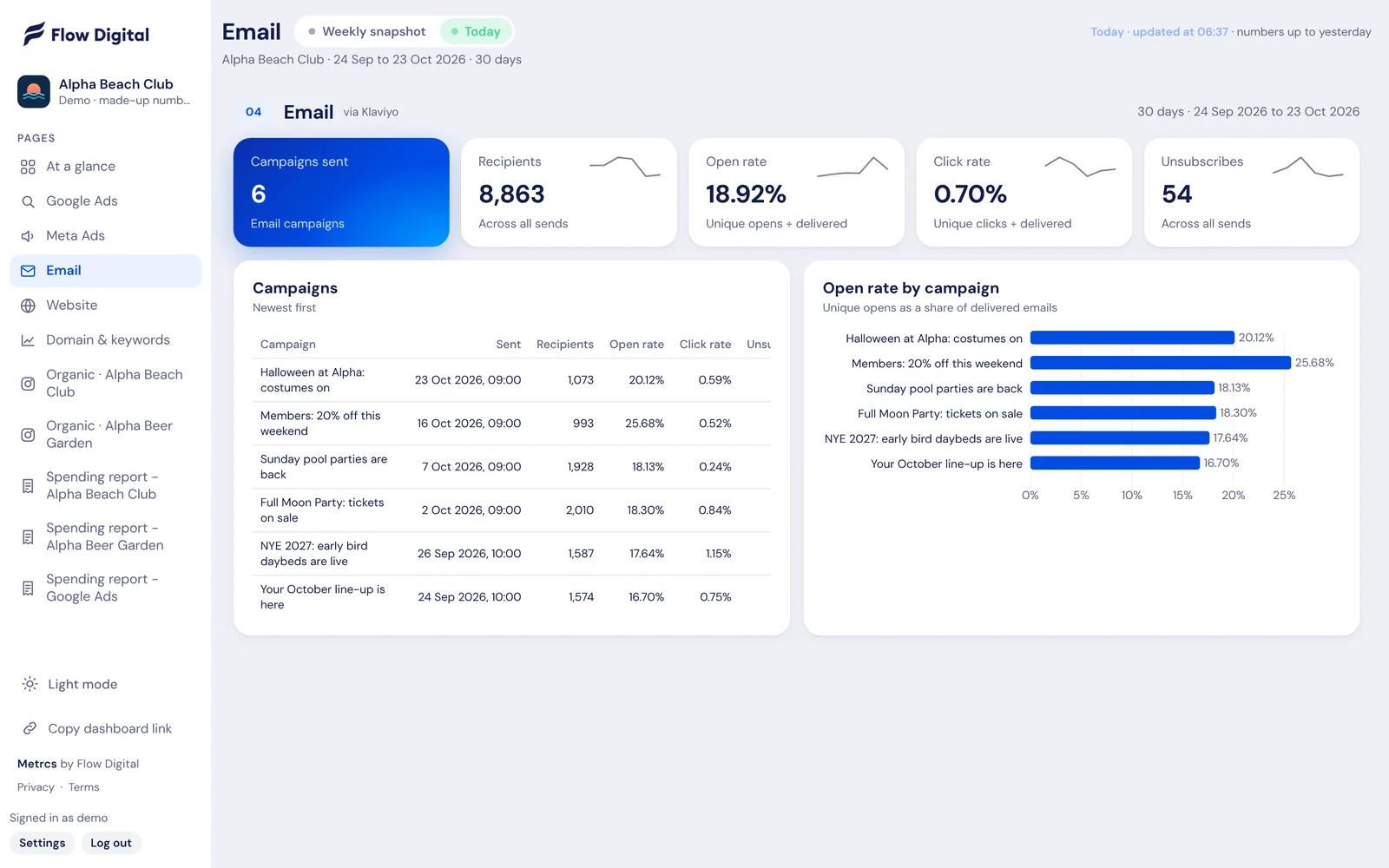
Every email campaign with its recipients, open rate, click rate and unsubscribes, sitting next to your ads and website numbers.

See how it works →
Metrcs Instagram reporting

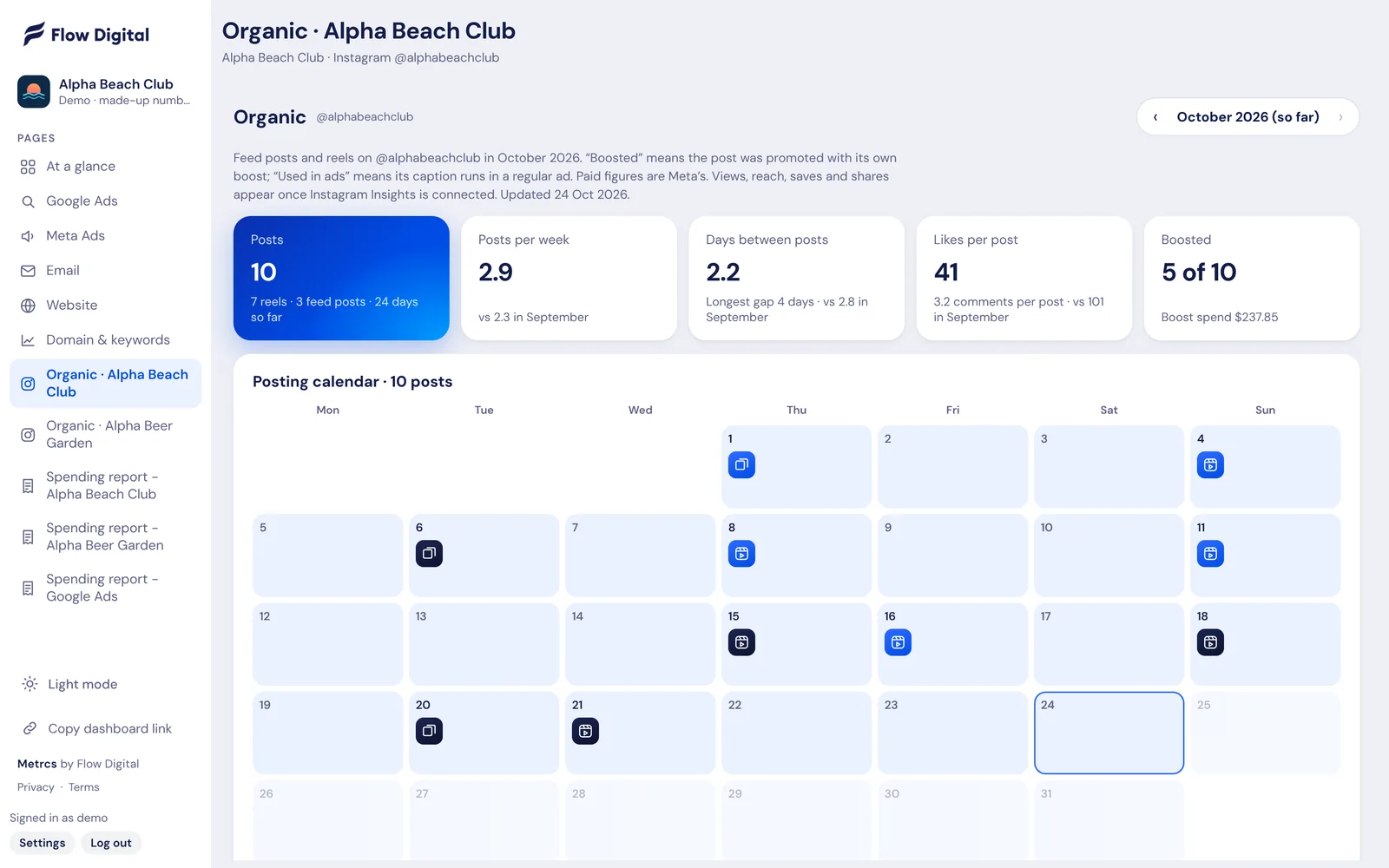
Every post and reel on a calendar, with likes, comments and which ones you boosted. See what content works and how often you actually post.

See how it works →
Metrcs Ad spend reports

What was charged to the card, what it paid for and the VAT on it. By month, week or year, for Meta and Google, without anyone downloading invoices.

See how it works →
Metrcs Weekly marketing reports

Every week Metrcs saves a snapshot of your numbers with what’s working, what’s slipping and a ranked list of what to do next. Open it in the meeting and go.

See how it works →
Metrcs Meta ads reporting

Spend, results and cost per result for every Facebook and Instagram campaign, with this month’s spend tracked against budget. Updated before you start work.

Metrcs Agency view

See every client’s spend against budget, where each month will land and which campaigns stopped delivering, then open any client in one click.

See how it works →
Metrcs Google Ads reporting

Spend, clicks, cost per click and the keywords doing the work, on one page that updates every morning. No logging in to Google Ads and no exporting to spreadsheets.

See how it works →
Metrcs Website analytics

Users, sessions, enquiries and where they came from, laid out on one page. Plus twelve months of traffic, so you see the trend and not only this week.

See how it works →
Metrcs SEO reporting

Clicks, impressions and average position from Google Search Console, with the exact search terms that bring people to your site.

See how it works →
Metrcs Email reporting

Every email campaign with its recipients, open rate, click rate and unsubscribes, sitting next to your ads and website numbers.

See how it works →
Metrcs Instagram reporting

Every post and reel on a calendar, with likes, comments and which ones you boosted. See what content works and how often you actually post.

See how it works →
Metrcs Ad spend reports

What was charged to the card, what it paid for and the VAT on it. By month, week or year, for Meta and Google, without anyone downloading invoices.

See how it works →
Metrcs Weekly marketing reports

Every week Metrcs saves a snapshot of your numbers with what’s working, what’s slipping and a ranked list of what to do next. Open it in the meeting and go.

See how it works →
Metrcs Meta ads reporting

Spend, results and cost per result for every Facebook and Instagram campaign, with this month’s spend tracked against budget. Updated before you start work.

Launching soon

Metrcs is launching soon.

We’re running Metrcs with Flow Digital clients first. Join the waitlist and you’ll be among the first to hear when it opens to everyone.

Join the waitlist Takes 30 seconds. Already a client? Log in