Metrcs for agencies

Every client. One screen.

See every client’s spend against budget, where each month will land and which campaigns stopped delivering, before the client notices. Then open any of them in one click.

Built and used every day by Flow Digital to run its own client roster.
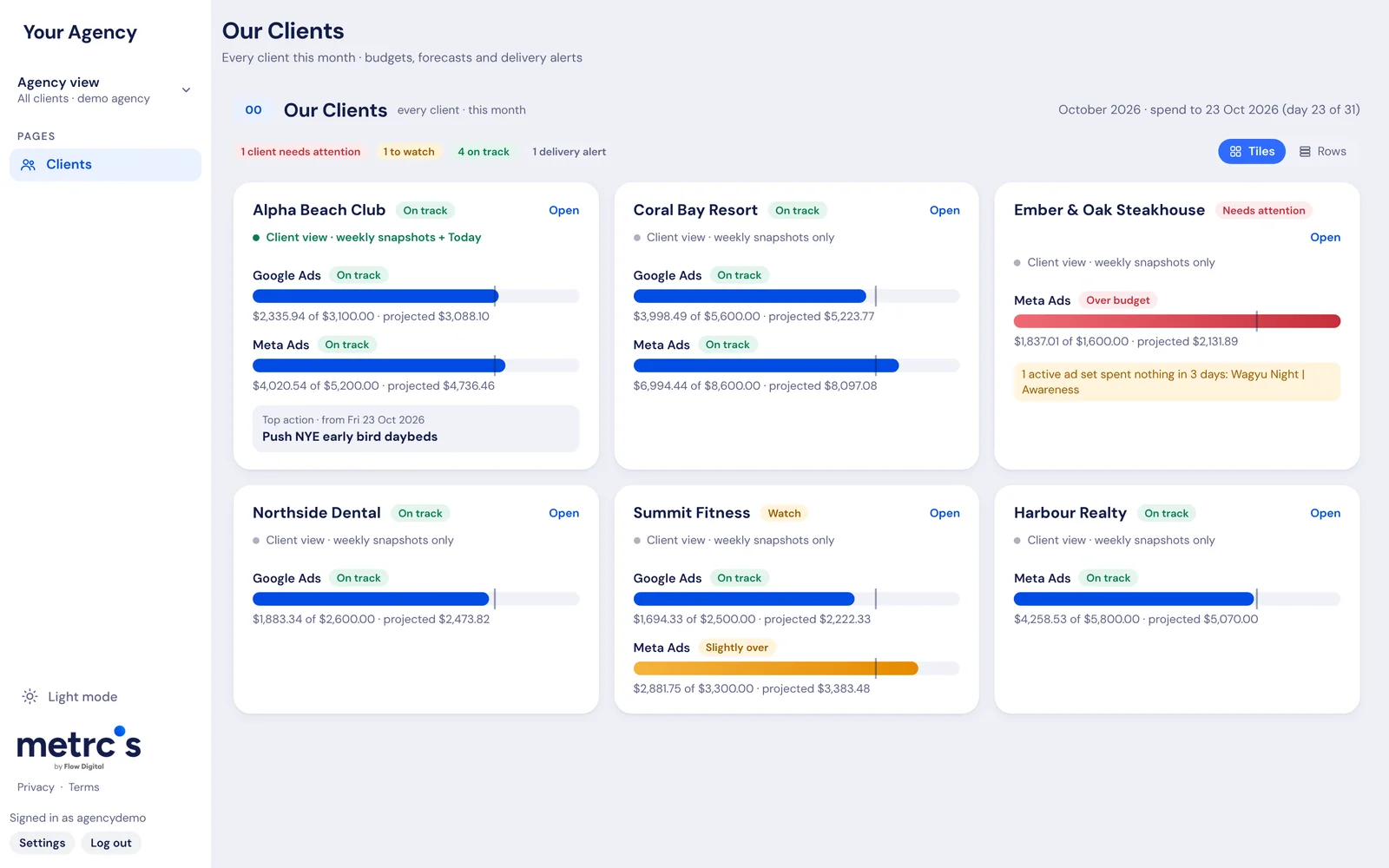
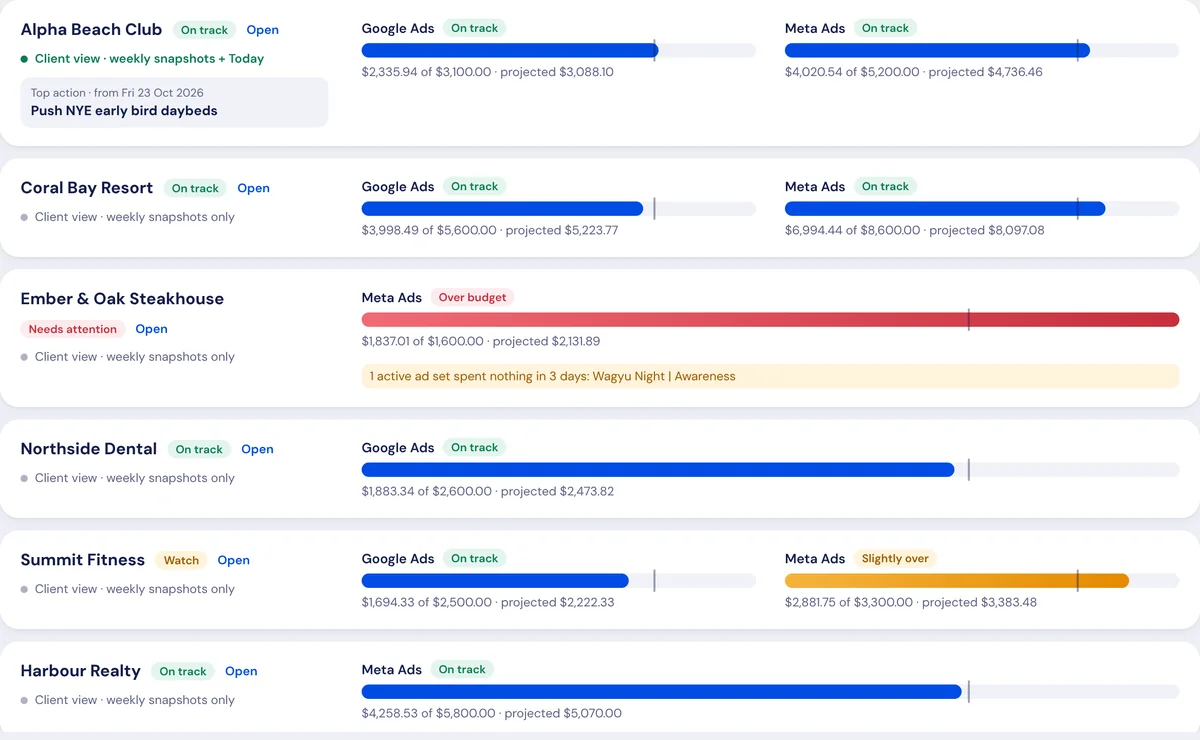
The Metrcs agency view: six clients with Google Ads and Meta Ads spend against budget, projections and a delivery alert
Sound familiar?

Running a roster shouldn’t mean twelve logins.

Monday starts with a login marathonChecking every client’s ad accounts one by one takes hours before any real work starts.
The client spots the overspend firstA budget that ran hot shows up on their invoice, and then in an awkward email to you.
Reports eat billable hoursBuilding a deck for every client every week is work nobody pays for.
The agency view

Built for running a client roster.

All your clients at a glanceSpend against budget for every client and every channel, with where each month will land.
Problems firstOver budget, under-delivering or a campaign that stopped spending: flagged and counted at the top, so you know where to start.
Tiles or rowsScan client cards, or switch to a compact list when the roster gets long.
One click into any clientOpen the full dashboard for that client, with this week’s snapshot ready for the meeting.
A login for every clientEach client sees only their own numbers on their own login, so you stop emailing reports.
Agency view in rows: each client with spend against budget per channel
The same roster as rows. Demo agency with made-up clients and numbers.
On the go

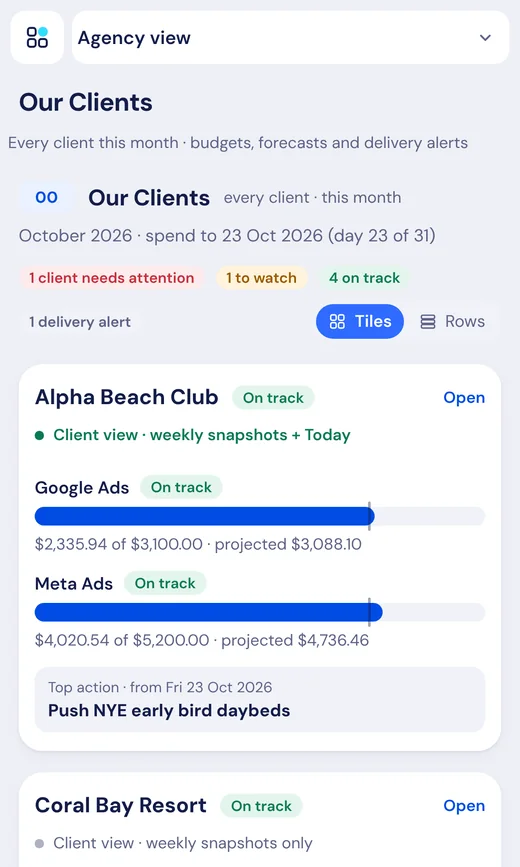
Check the whole roster from your phone.

Add Metrcs to your home screen and it opens like an app. See which clients need you before you reach the office.

Fresh every morningNumbers update early each day, for every client at once.
Weekly snapshotsKey points and next actions saved for each client every week.
Read-only accessMetrcs never changes a campaign, budget or setting.
The agency view on a phone
Inside every client

Open a client and it’s all there.

Each client has the full Metrcs dashboard behind the agency view, on the same login.

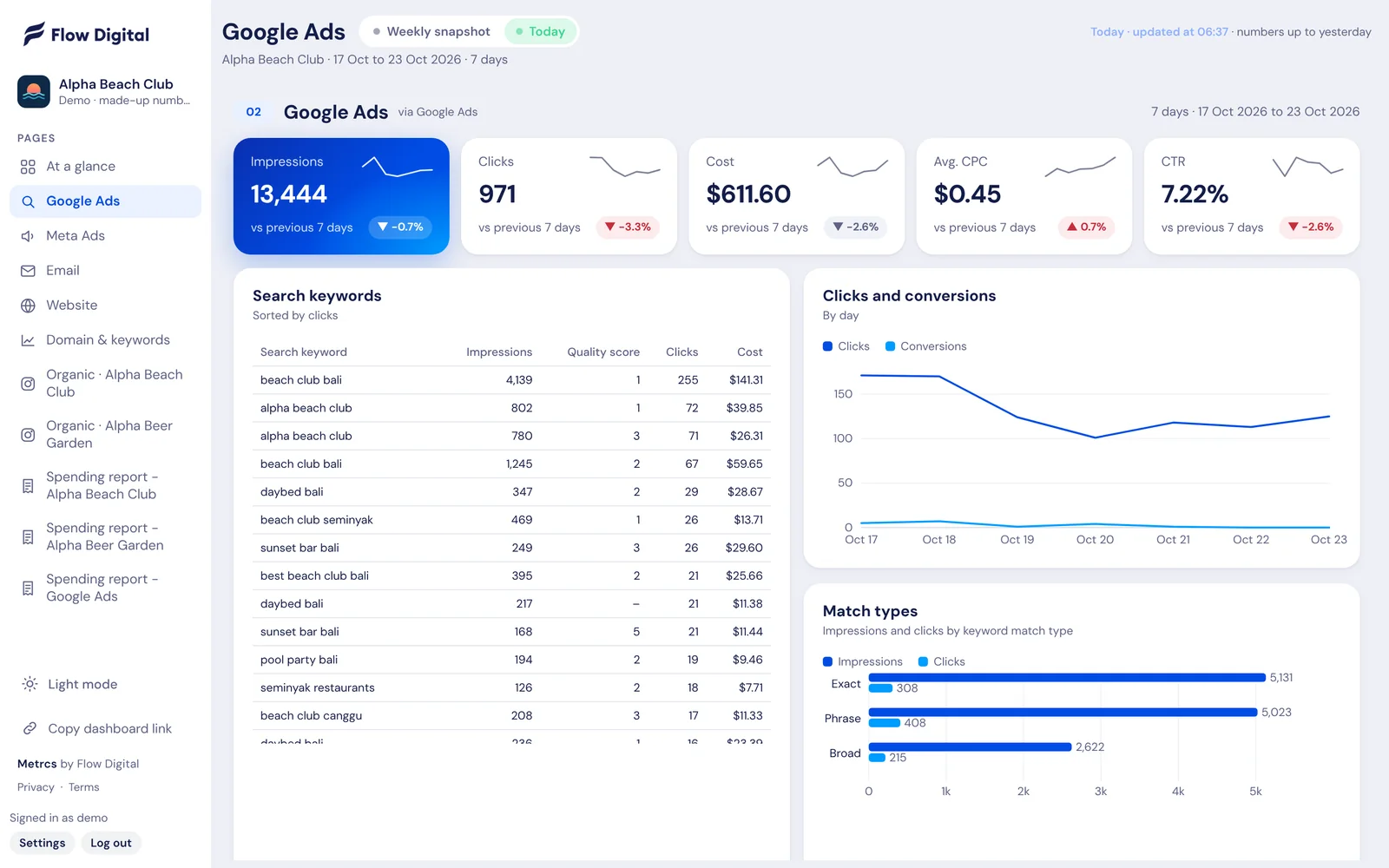
Metrcs Google Ads reporting

Spend, clicks, cost per click and the keywords doing the work, on one page that updates every morning. No logging in to Google Ads and no exporting to spreadsheets.

See how it works →
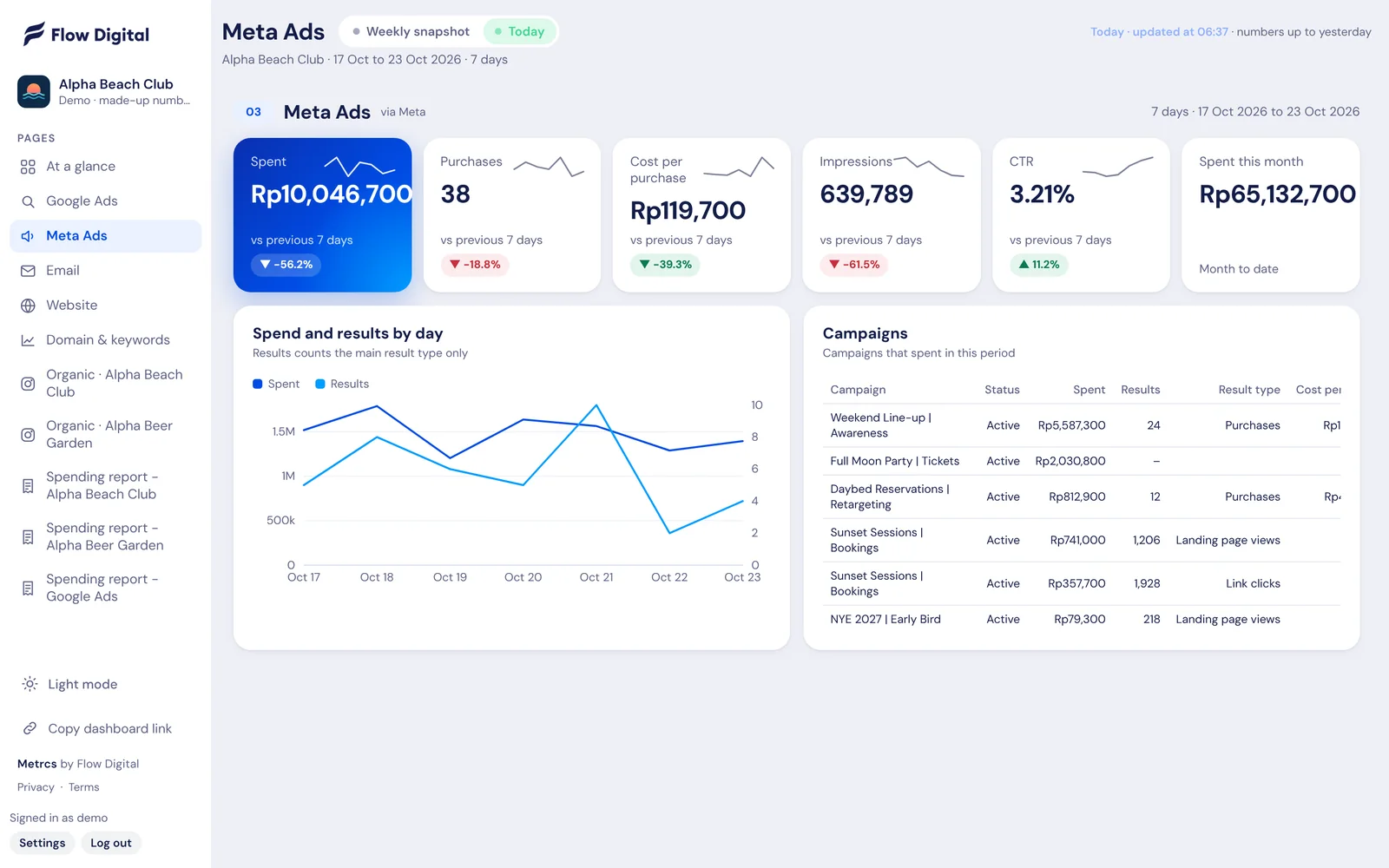
Metrcs Meta ads reporting

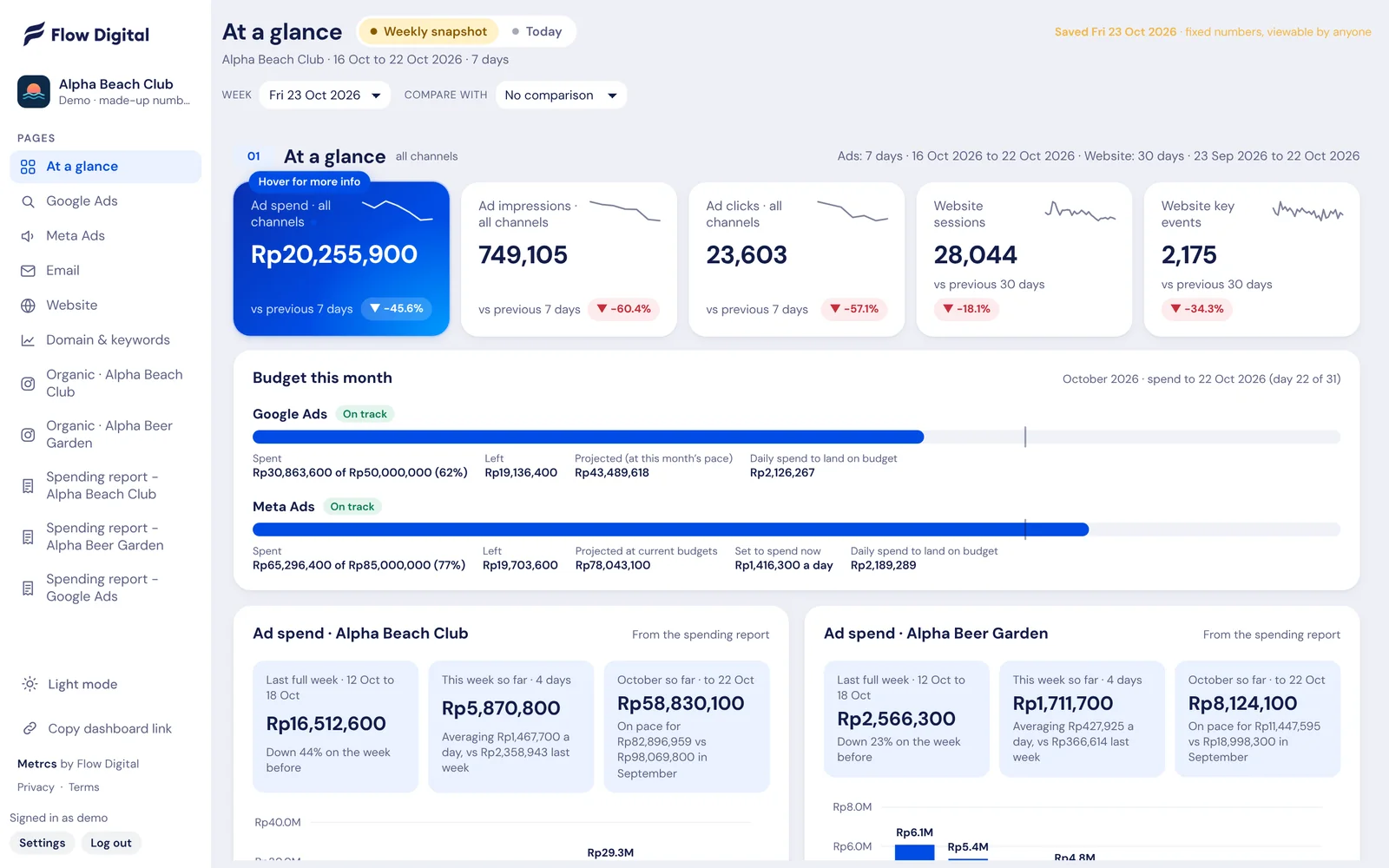
Spend, results and cost per result for every Facebook and Instagram campaign, with this month’s spend tracked against budget. Updated before you start work.

See how it works →
Metrcs Website analytics

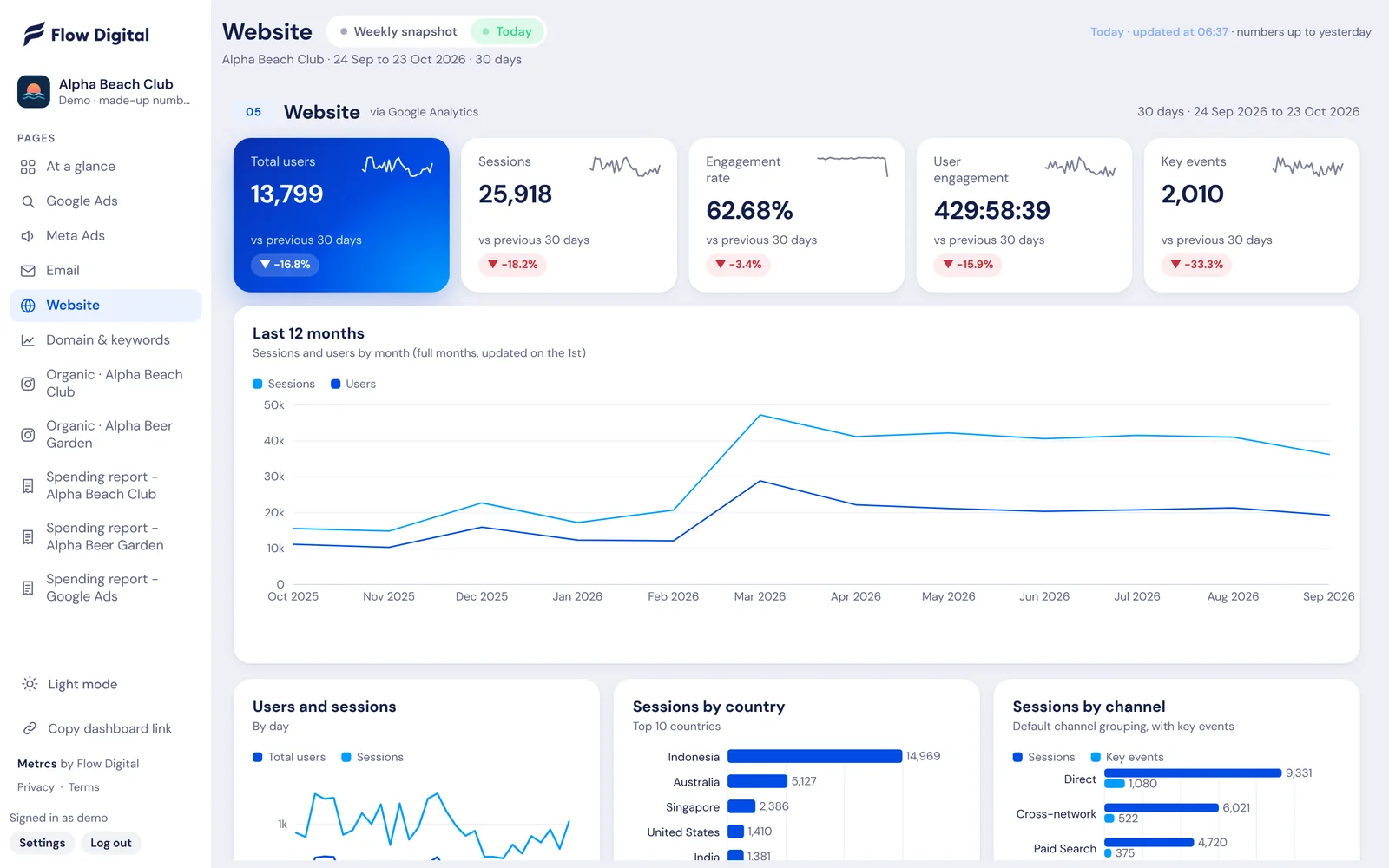
Users, sessions, enquiries and where they came from, laid out on one page. Plus twelve months of traffic, so you see the trend and not only this week.

See how it works →
Metrcs SEO reporting

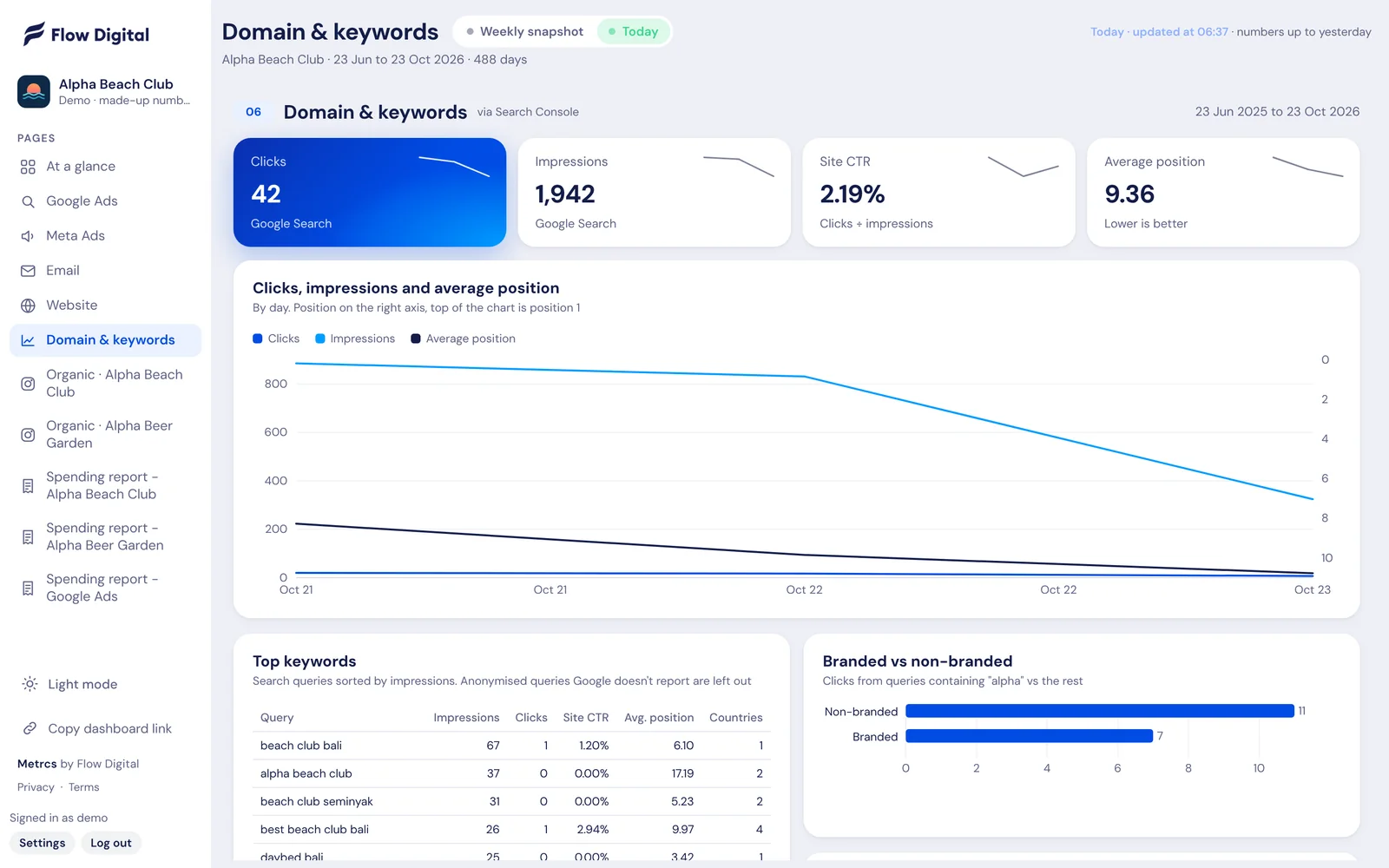
Clicks, impressions and average position from Google Search Console, with the exact search terms that bring people to your site.

See how it works →
Metrcs Email reporting

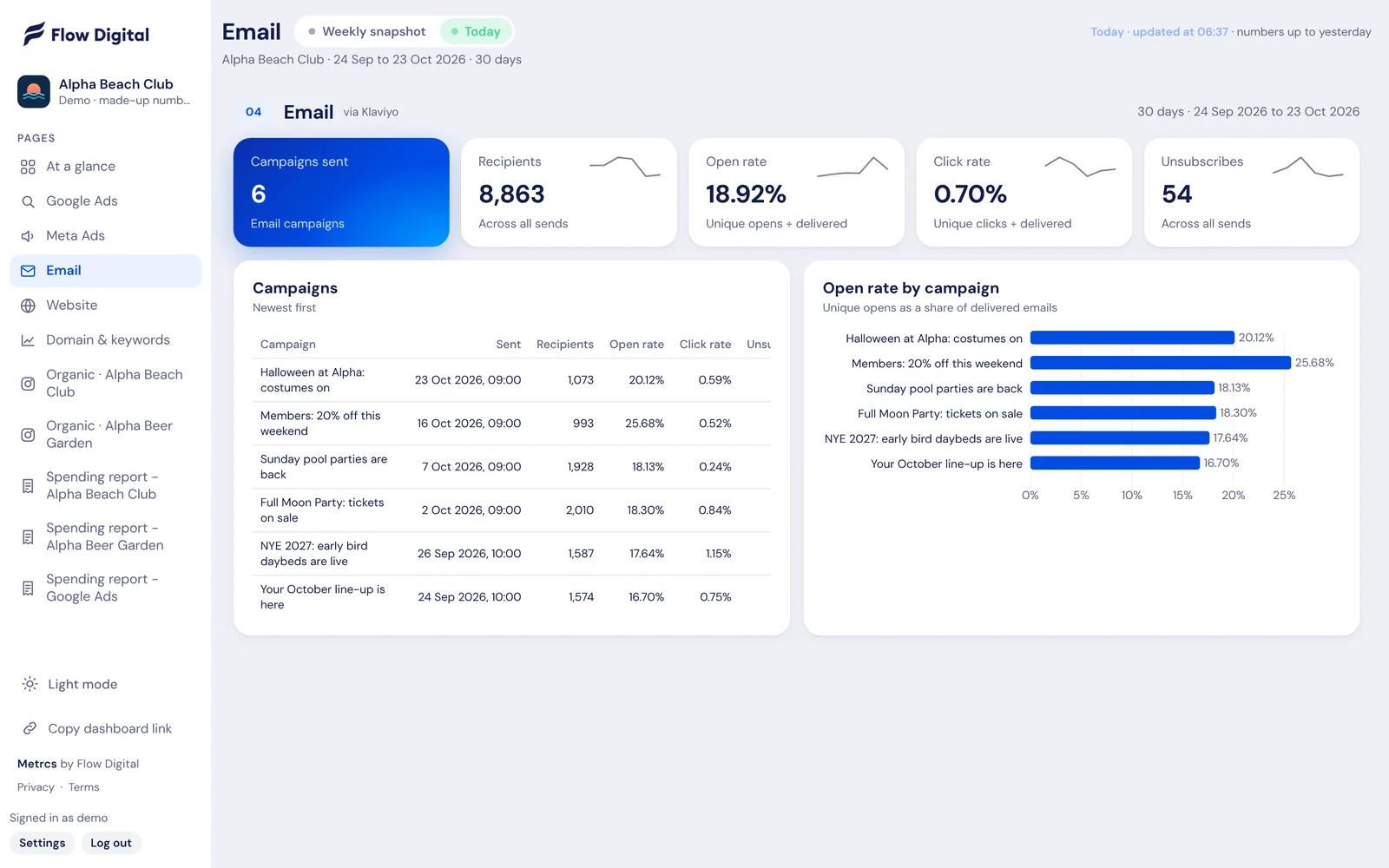
Every email campaign with its recipients, open rate, click rate and unsubscribes, sitting next to your ads and website numbers.

See how it works →
Metrcs Instagram reporting

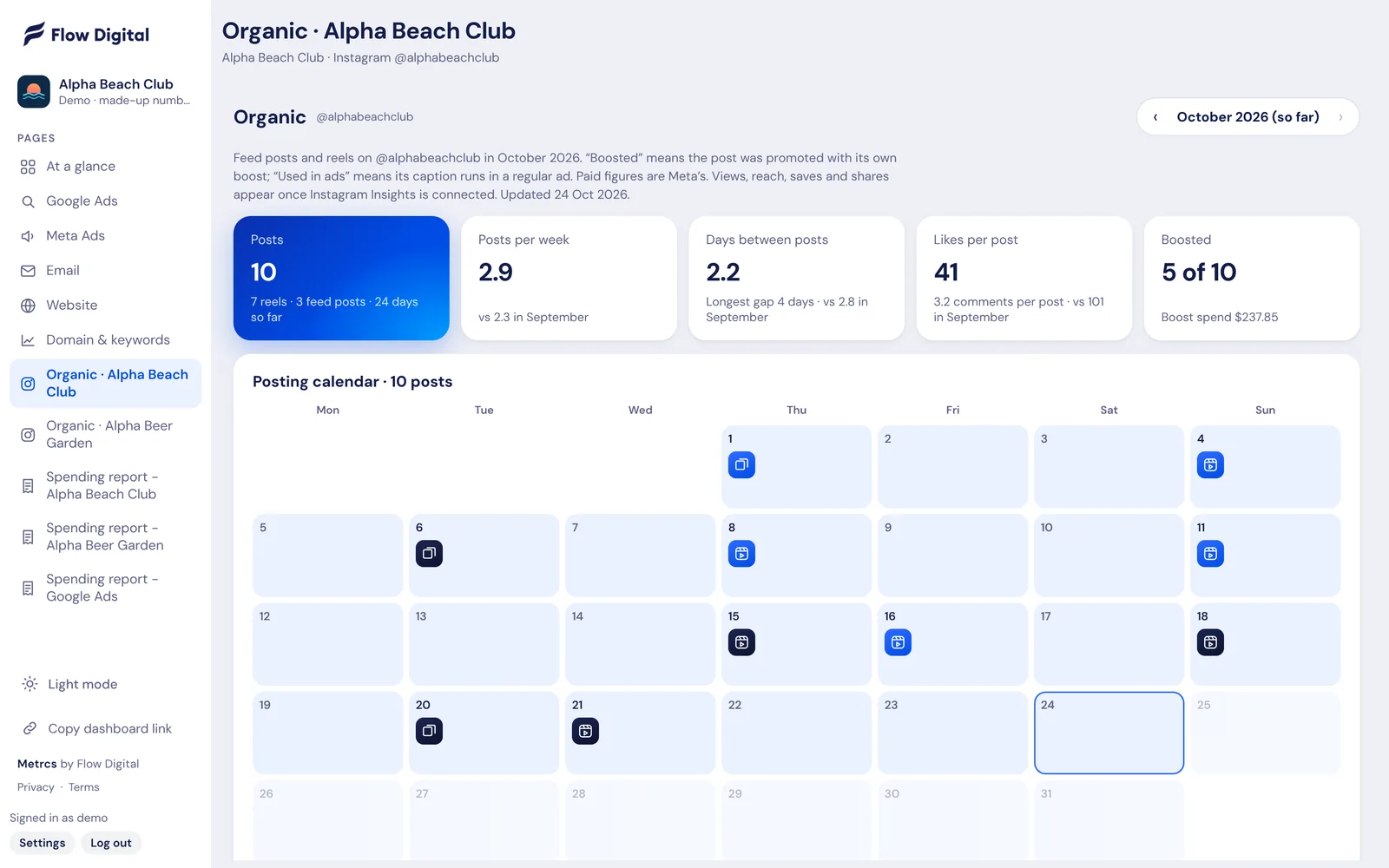
Every post and reel on a calendar, with likes, comments and which ones you boosted. See what content works and how often you actually post.

See how it works →
Metrcs Ad spend reports

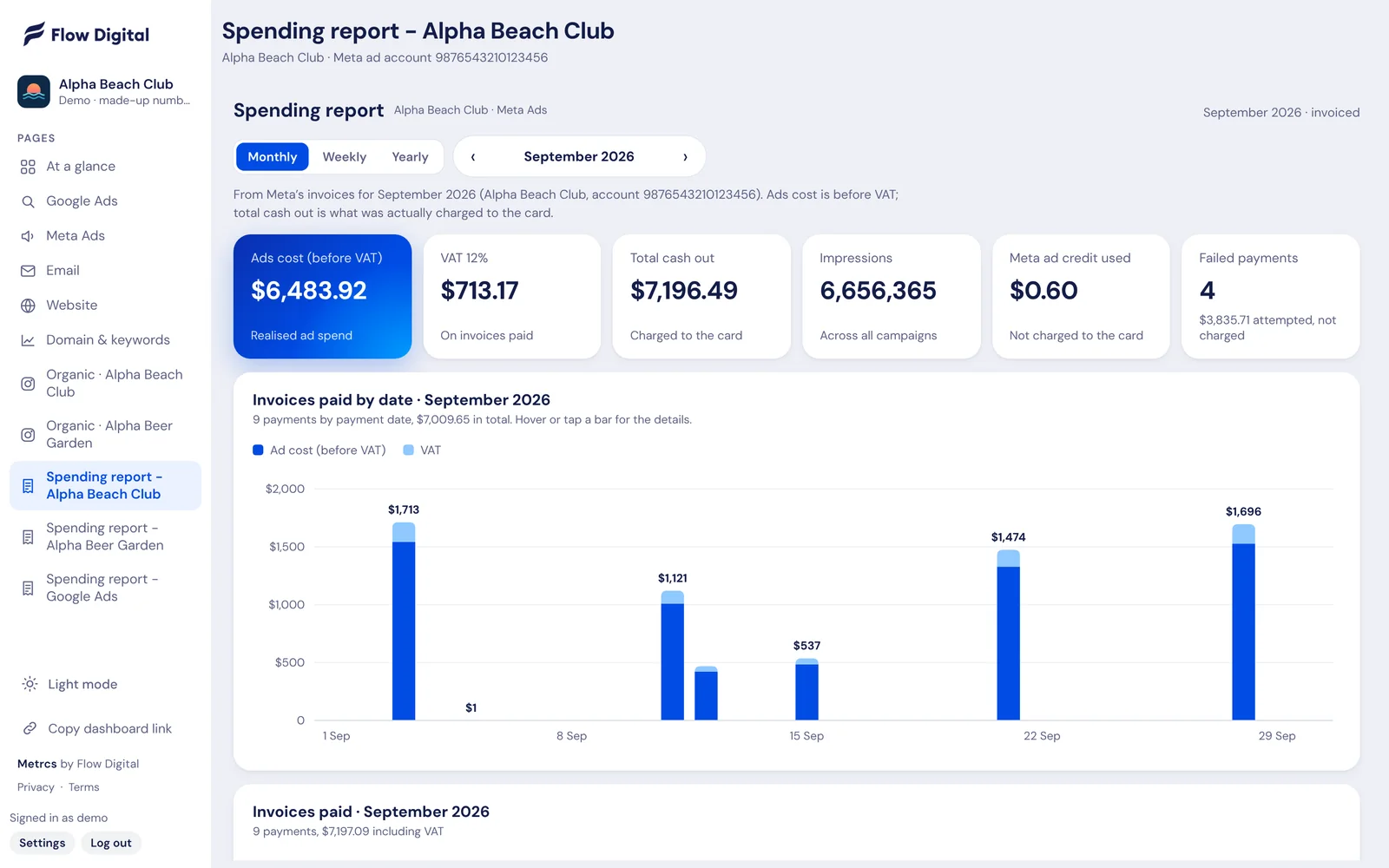
What was charged to the card, what it paid for and the VAT on it. By month, week or year, for Meta and Google, without anyone downloading invoices.

See how it works →
Metrcs Weekly marketing reports

Every week Metrcs saves a snapshot of your numbers with what’s working, what’s slipping and a ranked list of what to do next. Open it in the meeting and go.

See how it works →
Metrcs Google Ads reporting

Spend, clicks, cost per click and the keywords doing the work, on one page that updates every morning. No logging in to Google Ads and no exporting to spreadsheets.

See how it works →
Metrcs Meta ads reporting

Spend, results and cost per result for every Facebook and Instagram campaign, with this month’s spend tracked against budget. Updated before you start work.

See how it works →
Metrcs Website analytics

Users, sessions, enquiries and where they came from, laid out on one page. Plus twelve months of traffic, so you see the trend and not only this week.

See how it works →
Metrcs SEO reporting

Clicks, impressions and average position from Google Search Console, with the exact search terms that bring people to your site.

See how it works →
Metrcs Email reporting

Every email campaign with its recipients, open rate, click rate and unsubscribes, sitting next to your ads and website numbers.

See how it works →
Metrcs Instagram reporting

Every post and reel on a calendar, with likes, comments and which ones you boosted. See what content works and how often you actually post.

See how it works →
Metrcs Ad spend reports

What was charged to the card, what it paid for and the VAT on it. By month, week or year, for Meta and Google, without anyone downloading invoices.

See how it works →
Metrcs Weekly marketing reports

Every week Metrcs saves a snapshot of your numbers with what’s working, what’s slipping and a ranked list of what to do next. Open it in the meeting and go.

See how it works →
Launching soon

Metrcs is launching soon.

We’re running Metrcs with Flow Digital clients first. Join the waitlist and you’ll be among the first to hear when it opens to everyone.

Join the waitlist Takes 30 seconds. Already a client? Log in